
Getting started
Install, navigate and begin safely with file previews and reusable presets.
Rename large groups of files and folders with text replacement, numbering, dates, regular expressions and a live preview. Clear Windows guides for every common renaming task.
These topic hubs separate distinct questions, helping readers find one focused answer rather than a collection of duplicate articles.
Install, navigate and begin safely with file previews and reusable presets.
Clean text, add prefixes, remove symbols and normalize filenames.
Create ordered names with padding, sorting and controlled sequences.
Apply modified, created and photo date information to file names.
Organize photos, music, videos, PDFs and exports using available properties.
Rename folders and subfolders with filters while protecting directory structure.
Use regular expressions and JavaScript rules for structured naming problems.
Prevent collisions, permission errors and irreversible bulk rename mistakes.
Compare BRU with Windows Explorer, PowerRename, PowerShell and other tools.
Explorer suits simple sequential names, while BRU exposes text replacement, filtering, metadata, regex and reusable configurations.
Choose a lowercase filename transformation for consistent file naming, then preview extension handling separately.
Retain descriptive stems and append a numeric suffix to make duplicates distinguishable.
BRU changes video filenames and can use relevant properties, but renaming does not transcode the video.
A wildcard filter limits which filenames are eligible for renaming, even in a mixed folder.
Use a filename-only match and leave the Extension panel unchanged so the file format label stays intact.
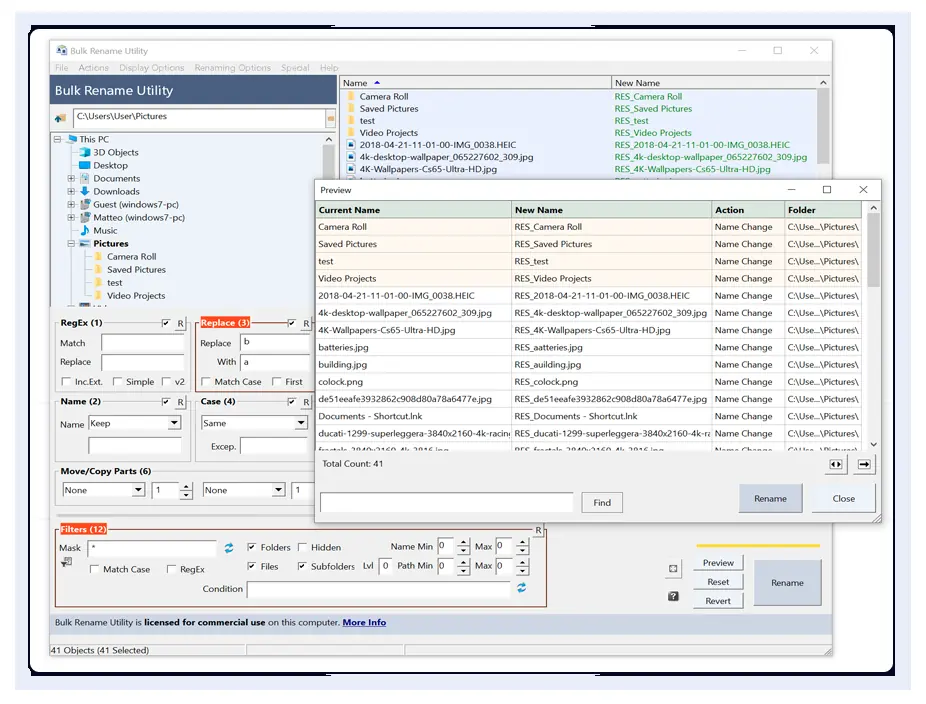
BRU shows original and proposed names side by side. Select files, activate only necessary panels, and review the output before clicking Rename.
File extensions and full directory paths deserve special attention, especially for media, network folders and automation.
Read the safety checklist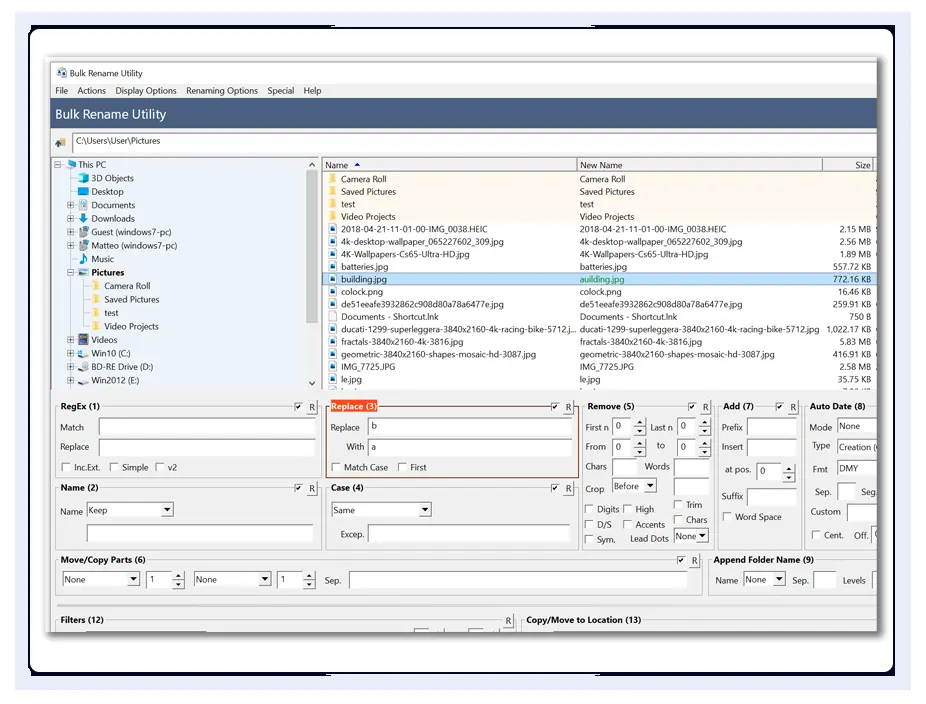
Start with a copy of a small set of files and inspect every proposed filename.